
How to Use the UDOSA eVoting System V5
A step-by-step guide to registering, getting verified and casting your vote.
Create your account
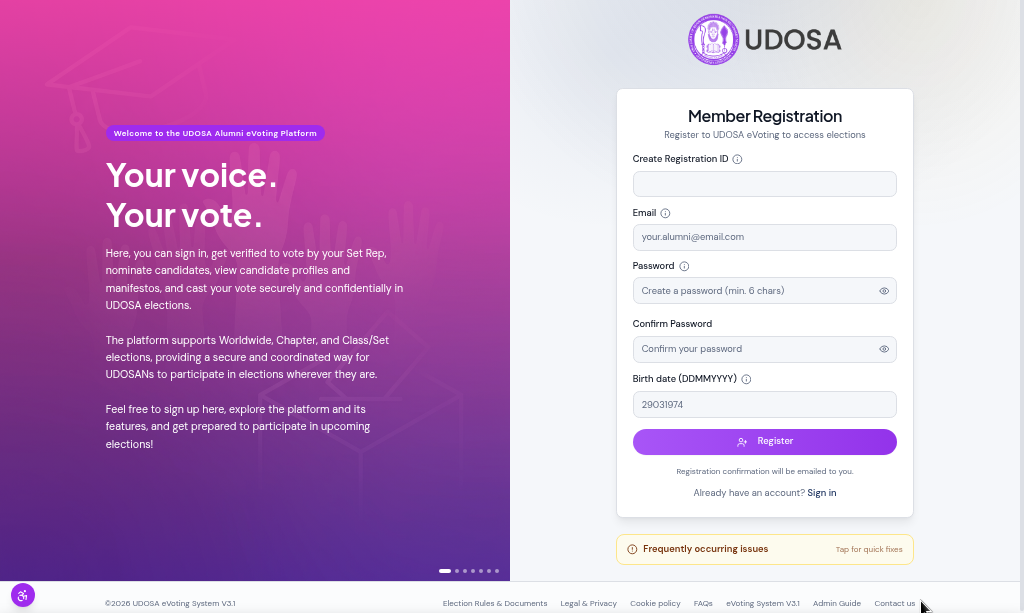
Visit elections.udosa.org and click Register. You will need to create a Registration ID in the format firstname.surname followed by your set year (for example, osaze.chukwuma2001). Enter your email address, choose a secure password, and provide your date of birth. Click Register to create your account.
A confirmation email will be sent to you. Keep your Registration ID safe — you will use it to sign in.
Sign in to the platform
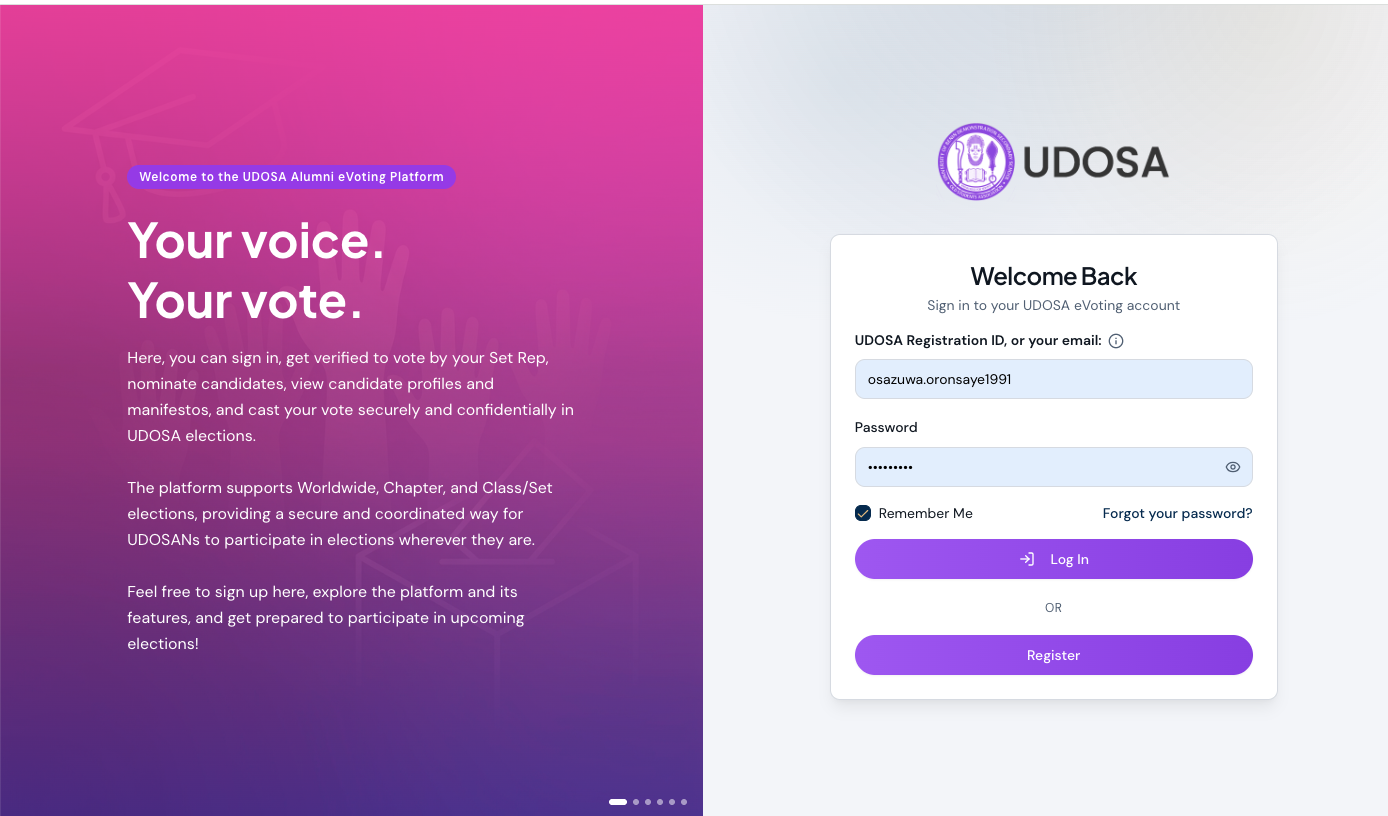
Once your account is verified by an administrator or your set-year representative, visit elections.udosa.org and sign in using your Registration ID (or email) and password. Not sure what your Registration ID is? Tap the ℹ️ icon next to the field for a quick reminder.
If you have forgotten your password, click Forgot your password? and enter your Registration ID or email. The platform will send a reset link to the email on file and show you a masked hint of that address so you know which inbox to check.
Your dashboard
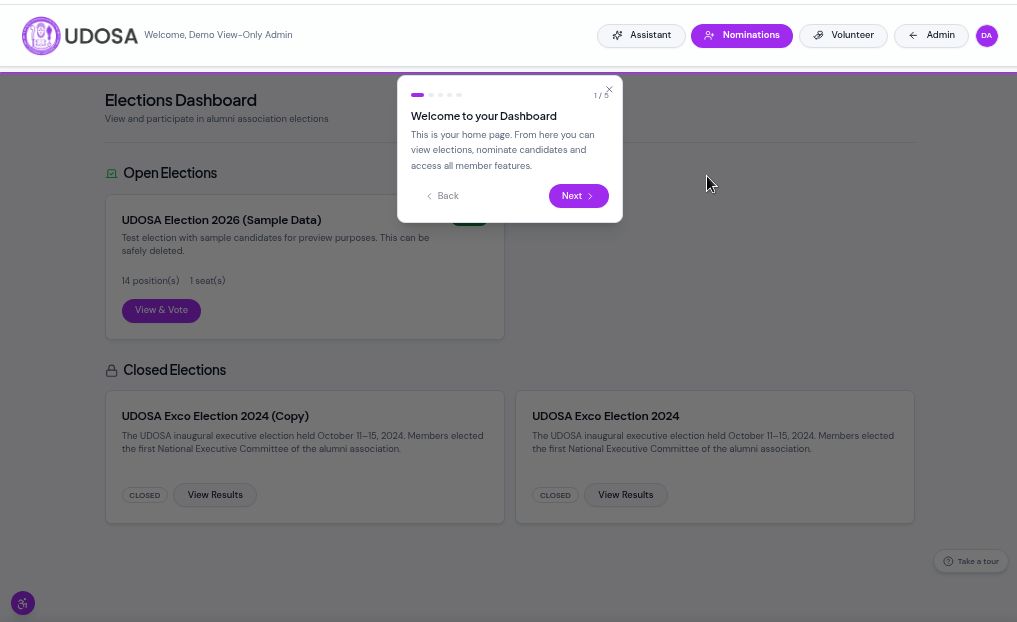
After signing in you land on your Dashboard. Here you can see:
- All open elections that are currently accepting votes
- Closed elections whose results you can view
- Quick-action buttons in the header for Nominations, Volunteer, and the Assistant
- Your account menu (avatar with your initials, top right) for Profile and Sign Out
A guided tour appears automatically on your first visit — or click the Take a tour button at the bottom-right to replay it at any time.
Open an election and review candidates
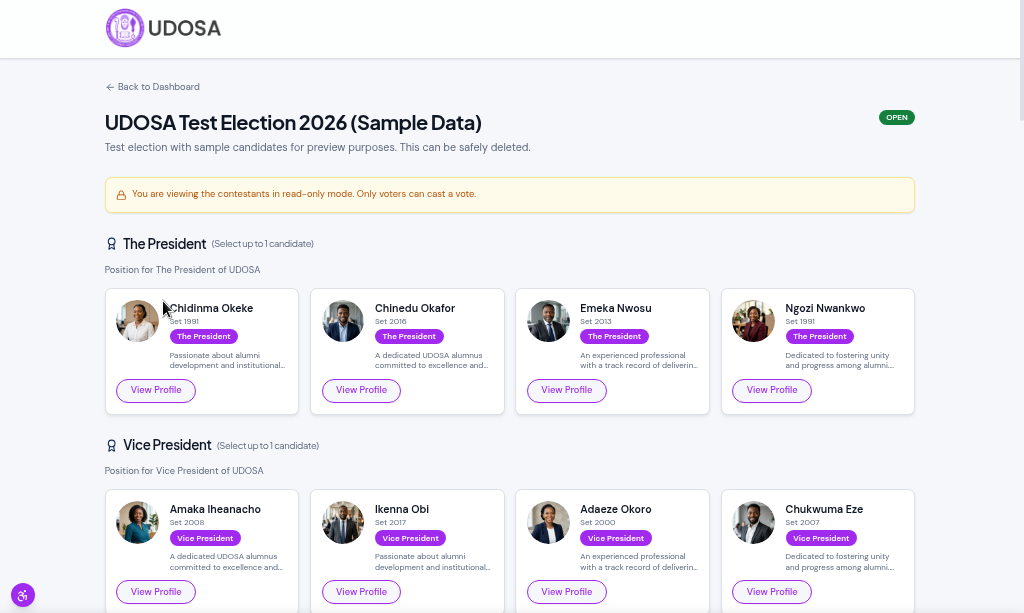
Click on an open election to see every position and the candidates standing for it. Each position is listed with candidate photos and names so you can quickly see who is running.
Read manifestos and candidate profiles
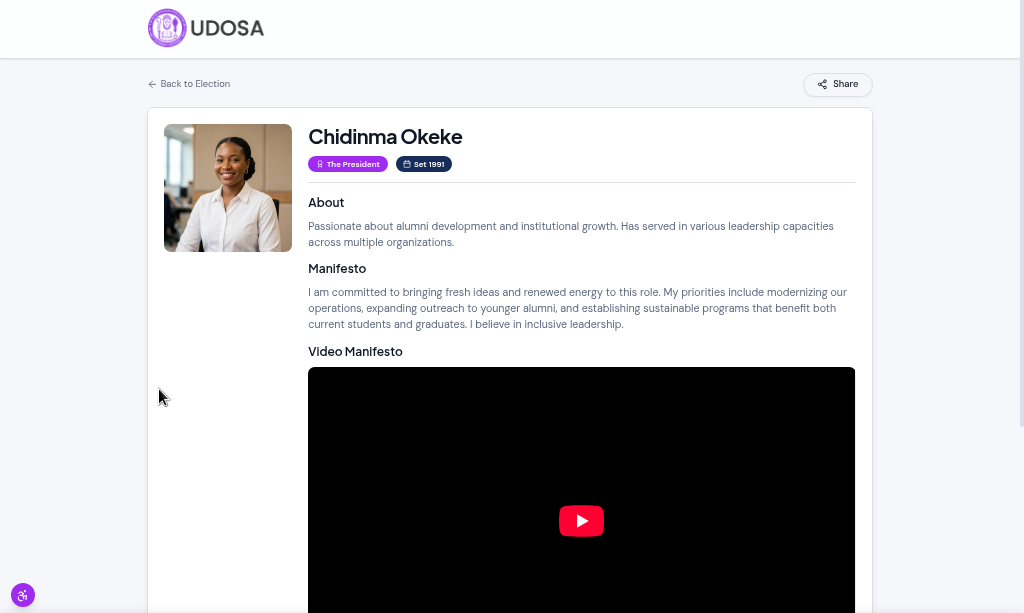
Click on any candidate’s name or photo to read their full manifesto, biography and social links. Take your time to review each candidate’s vision before making your choice.
Cast your vote
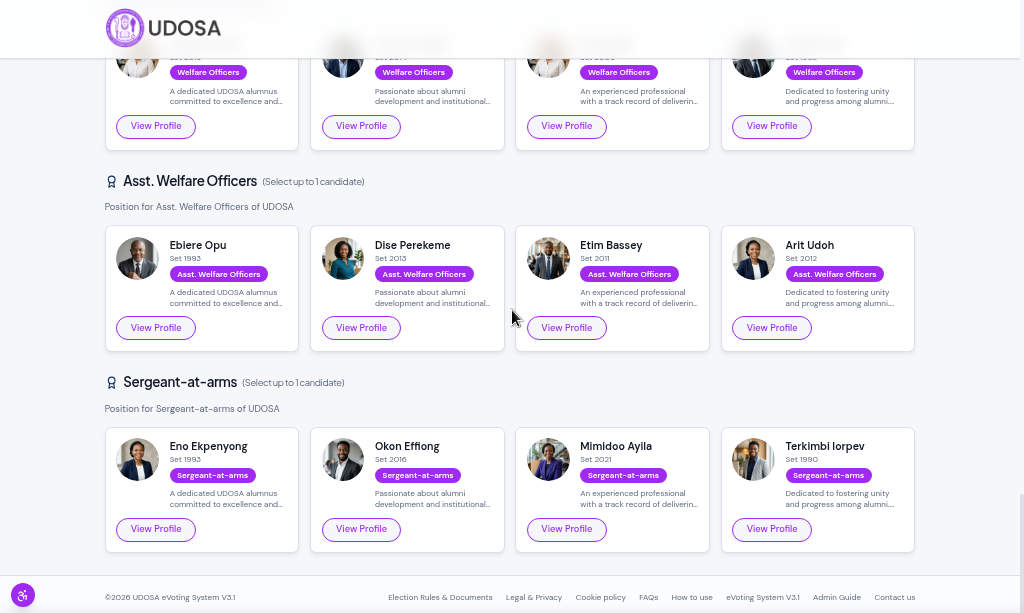
For each position, select your preferred candidate and submit your vote. You may vote once per position and your choice is final once submitted.
Your ballot is confidential — individual votes are never displayed publicly. Only aggregated results are shown after the election closes.
How to nominate a candidate
You can put forward a fellow member — or yourself — to stand in an upcoming election.
- From your dashboard, click Nominate a Candidate.
- Choose the election you are nominating for.
- Optionally pick a suggested position (for example, President). If unsure, leave it as No preference.
- Enter the candidate’s full name, set year, a profile photo, a short bio and manifesto. You can also add social links.
- Click Submit Nomination.
Administrators will review and approve the nomination so the candidate appears on the ballot.
How to volunteer with UDOSA
UDOSA elections rely on members who lend a hand — as observers, on the tech and digital side, with communications, record-keeping and more. Here is how to put yourself forward:
- From your dashboard, click Volunteer.
- Read the short role description on the left, then complete the expression of interest form on the right. Your name, email, phone, set year and Registration ID are filled in automatically from your account.
- Choose your preferred area of support and, if you wish, add your relevant experience, skills and availability.
- Write a short motivation telling us why you would like to serve (required).
- Upload your CV (this may be required or optional depending on the current settings) and, optionally, any supporting document.
- Click Submit to send your expression of interest to the Board of Trustees.
After applying, take the short Knowledge Check from the Volunteer page to demonstrate your understanding of the electoral process. The Board of Trustees will then review your submission and may invite you to a brief interview. You can withdraw your application at any time from the Volunteer page.
Your profile
Click the circular avatar (your initials) at the top-right of any page to open the account menu, then choose My Profile. From there you can view or update your personal details — name, email, date of birth, phone and set year. You can also change your password from this page.
Simple account recovery
Members can now sign in and reset their password using either their Registration ID (their first name.surname followed by their set year, e.g. osaze.chukwuma2001 ) or their email address. If a member has forgotten which email their account uses — the very problem we faced two years ago, when many members could not remember the email address attached to their account — they simply enter their Registration ID, and the platform sends the reset link to the correct email on file and shows a masked hint of that address (e.g. o**********[email protected]) so they instantly know which inbox to check. An on-screen information tip also explains what a Registration ID is, so no one is left guessing.
Ask the Assistant
Click Ask the Assistant to open the AI-powered help assistant. You can ask it questions about the platform, election rules or how things work and receive an instant answer.
Accessibility features
A floating Accessibility button (bottom-left of every page) lets you:
- Text size — choose Normal, Large or Larger. The entire site scales up for easier reading.
- Night mode — switch between Day and Night mode for comfortable viewing in low light.
Need help?
Email [email protected] for assistance.